
JailOps 用一個主控臺管理 FreeBSD 服務
Run your FreeBSD services from one console
在 FreeBSD 主機上管理多個服務,常得分別處理隔離、網路、防火牆和備份。
- JailOps 把這些工作放進同一個主控臺,也能用命令列或 API 操作。
- 每個應用程式會放在獨立的 jail 裡,並可設定誰能連線。管理者可以建立快照、升級服務,或把備份還原成新的 jail。防火牆變更若沒有確認,會自動復原,避免設定錯誤後連不回主機。JailOps 支援 FreeBSD 15.1 以上版本,也提供應用程式目錄供安裝。
AI 伴隨問答
針對這篇報導有疑問?可直接點選快捷問題或向 AI 追問背景脈絡與技術細節:
Open source · ZFS-native · FreeBSD 15.1 and later
Run your FreeBSD services from one console.
Install apps in isolated jails, control who can reach them, and manage updates and recovery with ZFS. From the web console, the command line or the API.
FreeBSD jails, managed from one place. A jail is FreeBSD's own way to give a service a system of its own: its own files, users and network stack, on the host's kernel.
- BSD 2-Clause license
- FreeBSD 15.1 and later, amd64 and arm64
- No third-party tracking on this site
Up and running in three commands
Three commands
On a clean FreeBSD 15.1 machine, as root, once the package repository is trusted:
# pkg install jailops
# jailops-setup -n   # what it would do; changes nothing
# jailops-setup
jailops-setup loads the kernel modules, sets up the pool, turns on forwarding, adds the one anchor line to pf.conf, starts jailopsd with the web console, runs jailops doctor and offers to create the first administrator. It ends with the console's address. Every action is printed before it runs, and running it again changes nothing. To run the host from the browser instead, see the appliance route.
What you get
- Backups that restore as a new jail and start with their data.
- A host firewall change you do not confirm undoes itself, so a mistake never locks you out.
- Encrypted volumes that stay shut until you unlock them, also after the machine has been off.
- Images that upgrade themselves overnight, and the jails that follow them move along.
- Every jail reachable on its own IPv6 address, straight from other hosts.
- Jails that find each other by name:
db.shop.internal, or justdb.
Who it is for
Hosting providers and agencies
One project per customer, and everything that is theirs stays theirs: network, storage, quotas, firewall and backups. Run hundreds of jails on one host, add a customer with a command, and give the tenant with the strictest demands a host of its own, managed the same way.
A home lab
Your whole home server in jails: apps from the catalog with one command, WireGuard back home, and encrypted volumes that stay private when the machine is off.
Teams and companies
One command line, one API and one console for every host. The fleet lives in git, the rules are the same everywhere, and backups go, encrypted, to hardware you choose.
FreeBSD people
It is
jail(8), ZFS and PF underneath: files you can read, no magic to unlearn, and a root helper that never trusts the daemon.
App catalog
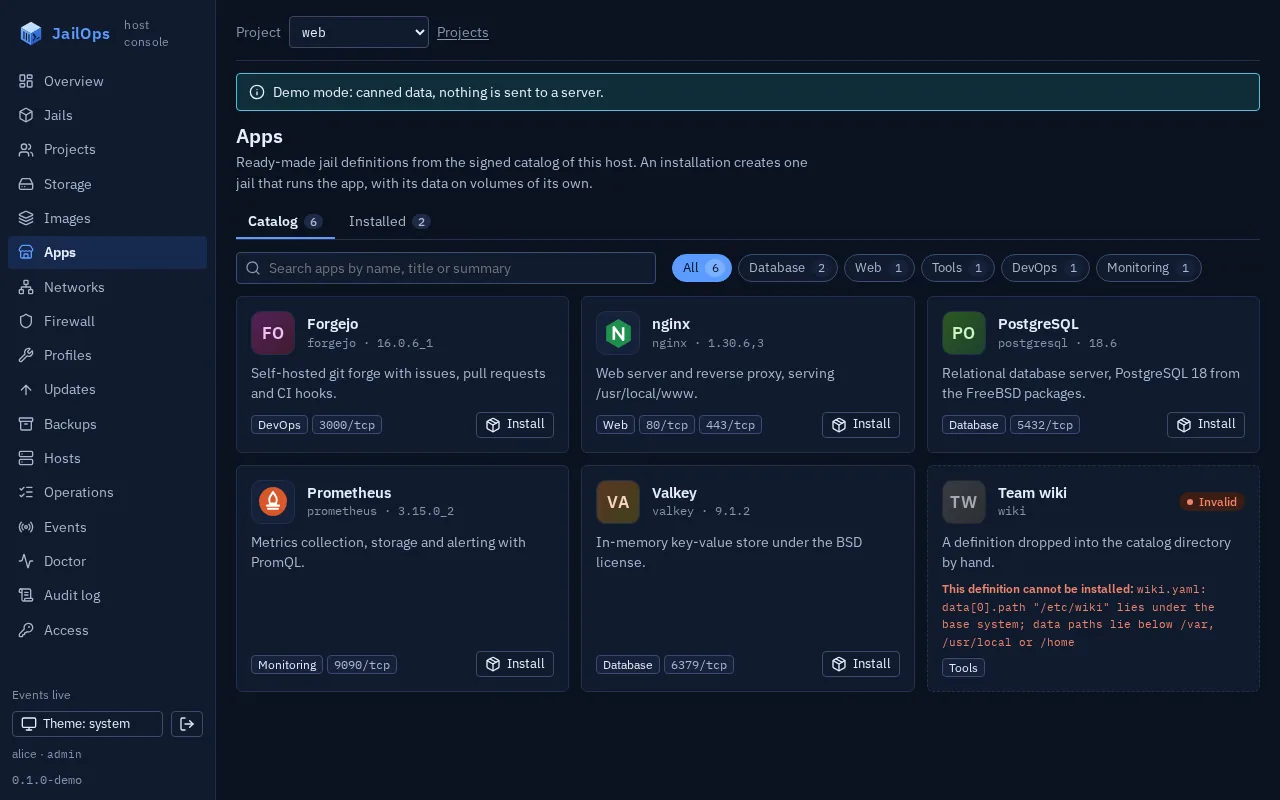
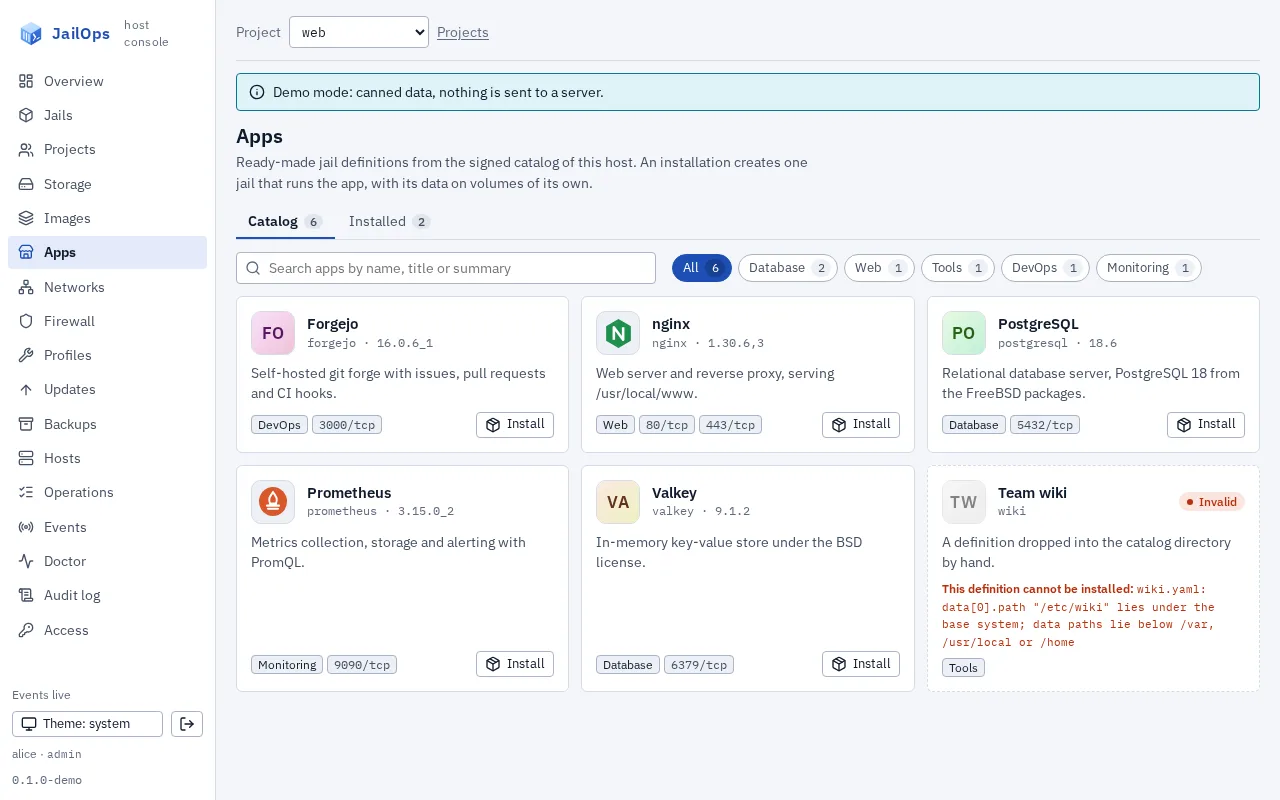
Pick an app. Get a running service.
From the console or with one command. JailOps gives the app its own jail, installs it from the host's packages, checks that it answers and takes a snapshot. Eight apps to start with, among them isms and a DNS server.
Its own jailEvery app in a jail of its own, with its own network stack and its data on datasets of its own.
Healthy, or not installedThe app's health check must pass before it counts as installed.
A snapshot after install
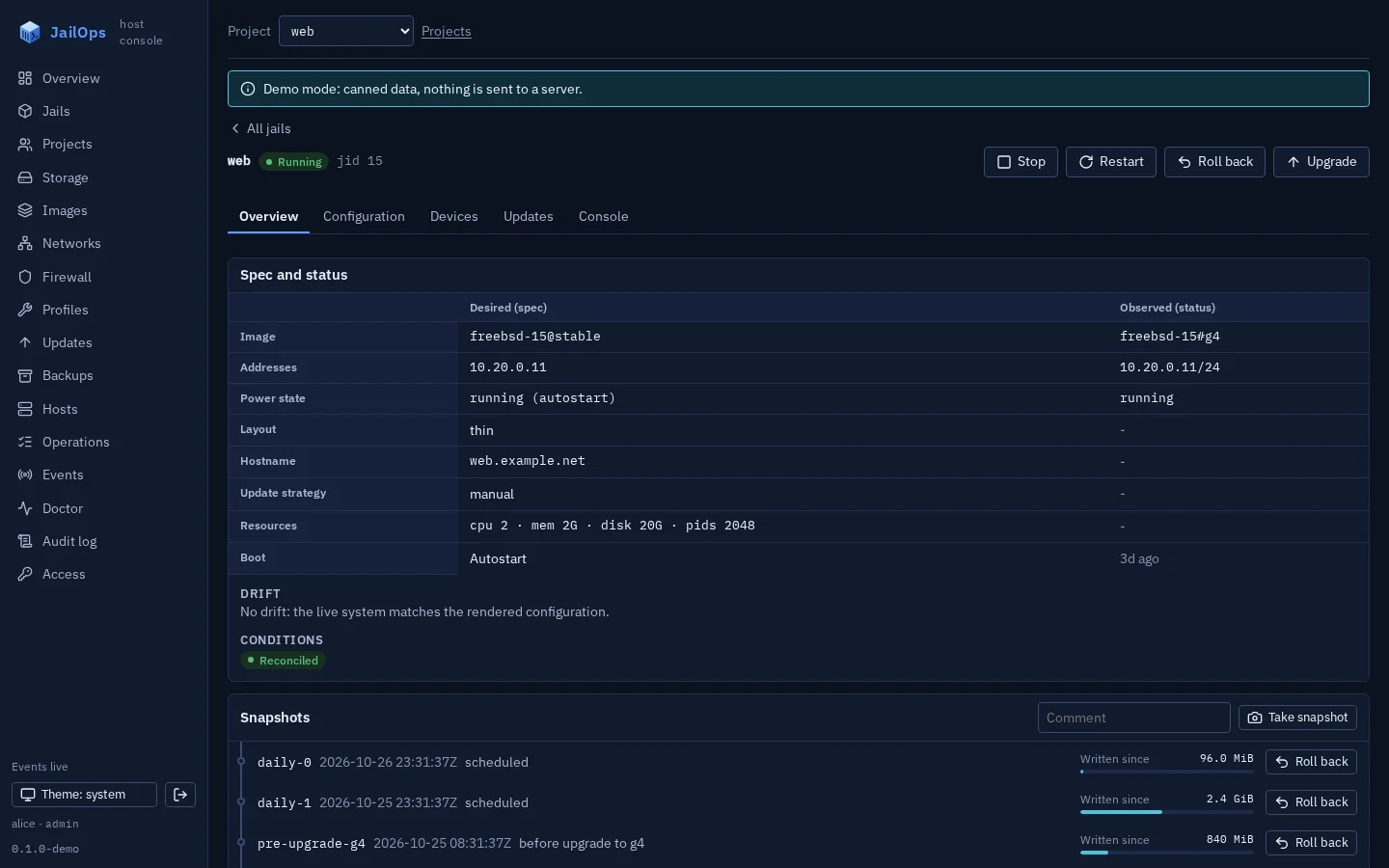
app-installed: one command takes the jail back to the fresh installation.
jailops app install nginx
Appliance
Run it like an appliance
The host and its firewall, the tunnels, who may reach each app, encrypted data and the logs of every jail, from the same CLI and console as your jails.
-
Host and firewall
Host name, resolvers, NTP and the host's own
Changes that undo themselvespf.conf. A firewall change reverts by itself unless you confirm it. -
Encrypted volumes
Native ZFS encryption and a passphrase only you know. After a boot the jail waits, locked, until you unlock it.
Encrypted at rest -
All logs in one place
One stream of logsjailops logs -ffollows every jail at once. Forward the lines to syslog or a webhook, with no agent in the jails. -
WireGuard
One command on the server, one on the other side. The keys are made on the host and kept by the root helper.
Connect networks -
App access
Every app starts closed.
Closed until you say soapp allowopens it to one source and, for PostgreSQL, prints the connection string once. -
Everything labelled
Every interface JailOps makes says what it is in
Read the labelsifconfig, and the doctor checks it.
What changes for you
-
One command per jail
One command creates a jail from a ready image, with its addresses and firewall in place. A public IPv6 address for each one, on any cloud that gives you a /64.
IPv6 and cloud setups -
Recovery you can verify
Snapshots undo a bad change, but they live on the same pool. Off-host backups are encrypted on your host, go to a backup node that holds no key, and are checked by restoring them.
Snapshot, rollback, backup -
One host or fifty
The same CLI, API and console on every host. Projects keep teams apart: their names, quotas, networks and firewall policies (not the kernel, which every jail shares). Declare the fleet in git and let
Fleet examplesjailops-syncapply it.
From an empty host to a running jail
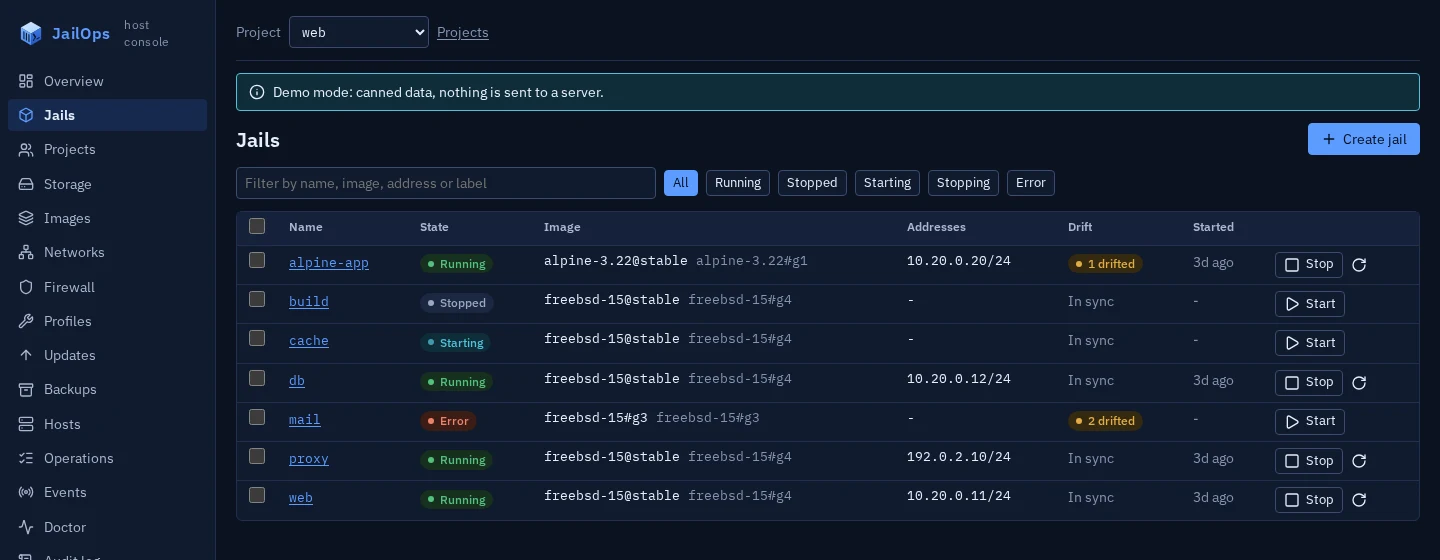
A network, a project, a jail, a snapshot and a dry-run upgrade on the command line. The same jail in the console. Demo data.
jailops, command line
$ jailops network create web \
    --ipv4 10.88.0.1/24 --nat \
    --ipv6 2001:db8:1:2:1::1/80 --uplink vtnet0
network/web created

$ jailops project create shop
$ jailops network grant web --project shop
$ jailops storage grant default --project shop
$ jailops jail create site --project shop --image freebsd-15-1 \
    --network web --storage default --memory 2G --autostart
jail/site created
$ jailops jail start site --project shop

$ jailops jail list --project shop
NAME   STATE     IMAGE          GEN               ADDRESSES                     AGE
site   running   freebsd-15-1   freebsd-15-1#g1   10.88.0.2,2001:db8:1:2:1::2   8s

$ jailops jail snapshot create site before-upgrade --project shop
$ jailops jail upgrade site --project shop --dry-run
dry-run: would upgrade jail site from freebsd-15-1#g1 to g2
Built the FreeBSD way
Open source
BSD 2-Clause. Pure Go, single static binaries, an unprivileged daemon and a small root helper that does not trust it.
Why JailOpsClosed by default
The API is on a local socket until you turn on the network listener or the console. That listener is TLS 1.3 only, with pinned certificates, scoped tokens or a sign-in.
ExposureCurrent FreeBSD
FreeBSD 15.1 and later, pkgbase first. Built by people who want to know FreeBSD to the bone.
Why FreeBSD
Rather do it by hand?
That remains a fine choice. The FreeBSD base system has everything: jail.conf, zfs and pf. The recipes show the plain base-system commands first. JailOps uses the same mechanisms, writes files you can read, and can join a host you run by hand without taking over its pf.conf (route C).
Optional add-on
PkgOps: build, sign and ship FreeBSD packages
For people who build packages of their own: build and sign native FreeBSD packages from a laptop or CI, with no FreeBSD builder. You do not need it to run JailOps or to install apps from the catalog.
One CLI. One API. Every jail.
Your infrastructure. Your jail.
Three ways in: look at the console on demo data, install on a clean FreeBSD 15.1 machine, or add JailOps to a host you already run. Each ends with a service that answers.